Guide
Connect Discordto Alakili.
About ten minutes. Once it is done, the morning’s assignments post themselves and every crew sees its own truck channel for the day.
Before you start
Two accounts,and the right to use them.
You need to be able to change integrations in Alakili, and you need the Manage Server permission on your Discord server. Without it your server is simply missing from the list Discord offers, and there is nothing to pick.
Discord asks you to sign in with your own Discord account, not an Alakili one. Use the account that already runs the server your drivers are in.
- In Alakili: a role that can edit integrations.
- In Discord: Manage Server on the server your crew uses.
- Your drivers and walkers already members of that server.
- A text channel for the day’s assignments, e.g. #driver-ops.
Step 1
Add the Alakili botto your server.
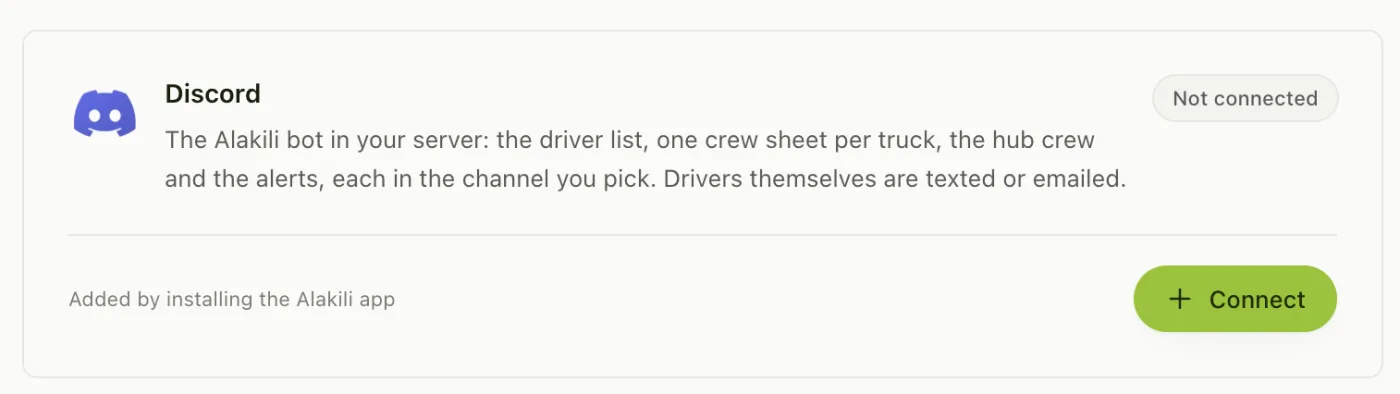
In Alakili, open Settings, then Integrations, and press Connect on the Discord card. Choose whether the connection is for the whole organization or for one station, then press Add to Discord.
Discord opens and asks which server to add Alakili to. Pick yours and press Authorize. You land back on Alakili with the connection made.
- View channels, send messages and read message history: to post the day.
- Embed links: so routes and maps come through as links.
- Manage channels and manage roles: to make truck channels and let each crew in and out.
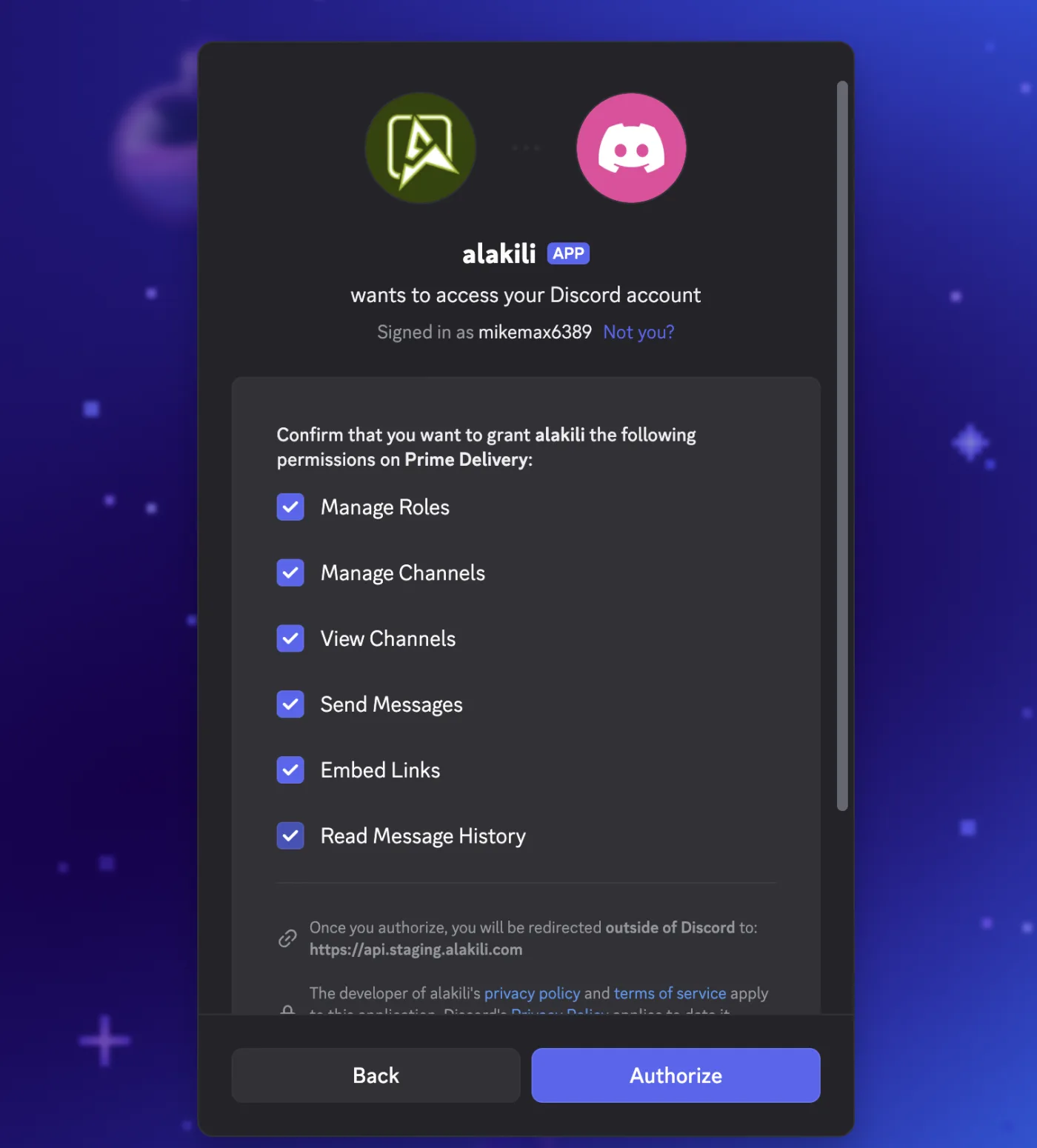
Your server is not in Discord’s list? The account you signed in with does not have Manage Server there. Ask whoever owns the server to do this step, or to give you that permission.
Step 2
Choose wherethe day is posted.
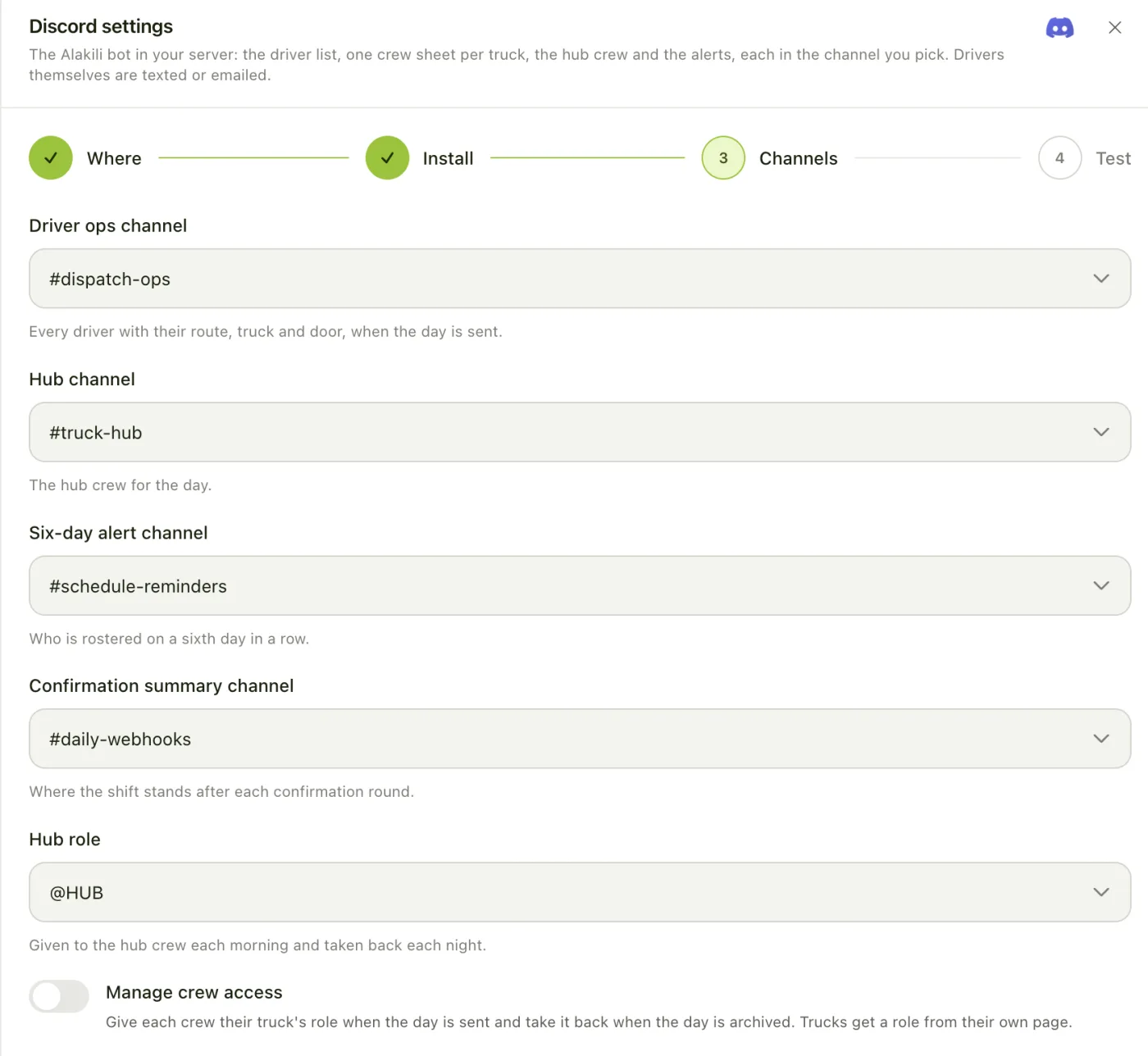
The next step lists your server’s channels. Pick one for each kind of post. Leave any you do not want as Not posted.
Turn on Manage crew access if you want Alakili to let each crew into their truck’s channel when the day is sent, and take them out again when the day is archived, so a truck channel only ever shows today’s crew.
- Driver ops: every driver with their route, truck and dock door, when the day is sent.
- Hub: the hub crew for the day, with the hub door.
- Six-day alert: anyone rostered on a sixth day in a row.
- Confirmation summary: where the week stands after each confirmation round.
- Hub role: given to the hub crew each morning and taken back each night.
Picked a private channel? Alakili can only post where its role is allowed. In Discord open the channel’s settings, Permissions, add the Alakili role, and allow View Channel and Send Messages.
Step 3
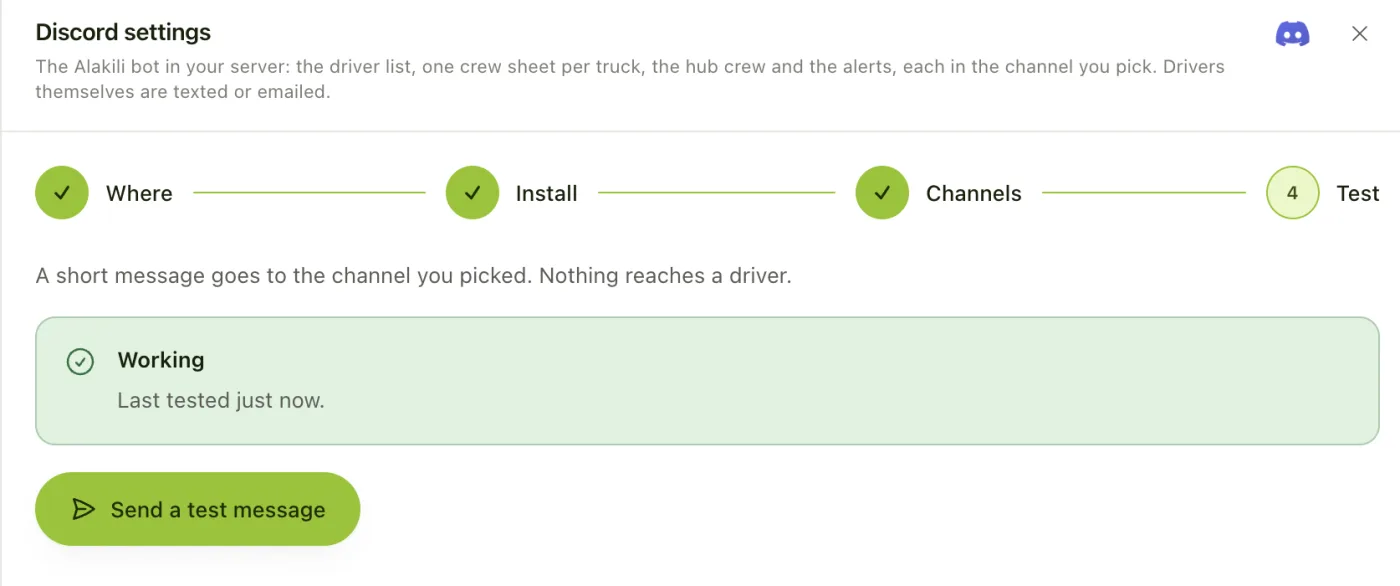
Send a testbefore anybody needs it.
The last step sends a short test message to your driver ops channel. Nothing reaches a driver. When it lands, the card on the Integrations page reads Connected.
If it fails, the step says why, in Discord’s words: usually a channel the bot cannot see.

Step 4
Give every truckits own channel.
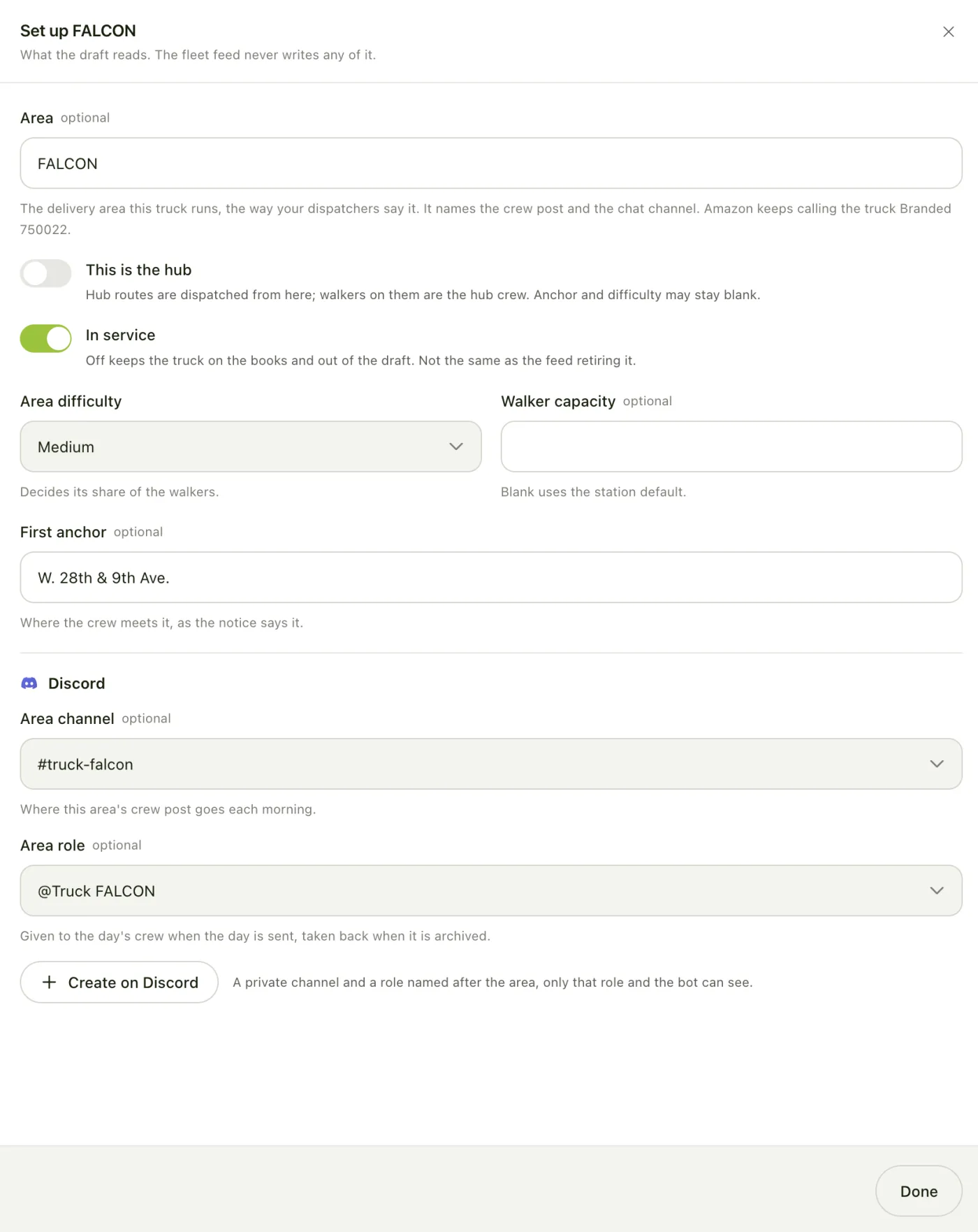
Each truck can have a private channel its crew sees for the day. Open Settings, then Areas, pick a truck, and in its Discord section either choose an existing channel and role, or press Create on Discord.
Create on Discord makes a role named after the truck and a private channel only that role and the bot can see, and saves both onto the truck. Do it once per truck.
Step 5
Every person needstheir Discord ID.
This is the step that decides whether the rest works. Alakili lets each person into their truck’s channel when the day is sent, and takes them out again when it is archived, by their Discord user ID, not their name. Somebody without one is not let into their truck’s channel and is not removed from it at night, so the channel ends up showing the wrong crew.
A Discord ID can reach a person’s record in any of these ways. Use whichever your team already keeps up to date.
- From the ADP contacts file: the Discord column, whether you upload the file or Alakili reads it from S3 each morning.
- From your Discord server: set each member’s server nickname to their transporter ID and Alakili matches them exactly. A display name that is their full name matches too. This runs every morning at 06:00, or now with Sync members on the Discord card.
- By hand: on the person’s page in Alakili, in the Discord field.
Typing a Discord ID by hand? Turn on Developer Mode in Discord (User Settings, Advanced), then right-click the person and choose Copy User ID. It is a long number, not their @name.
What happens next
The day postsitself from here.
When a dispatcher sends the drivers’ stage, the driver ops channel gets every route, truck and door. When the walkers’ stage is sent, each truck channel gets its crew and the crew is let in. When the day is archived at night, everyone is taken back out, so tomorrow starts clean.
Every message is a template under Settings, Automation, Messages, so the wording is yours to change.
See it against your own company data.
Thirty minutes. We walk your operating day, then come back with the configuration rather than a quote for a rebuild.